IFC Viewer for Microsoft Teams
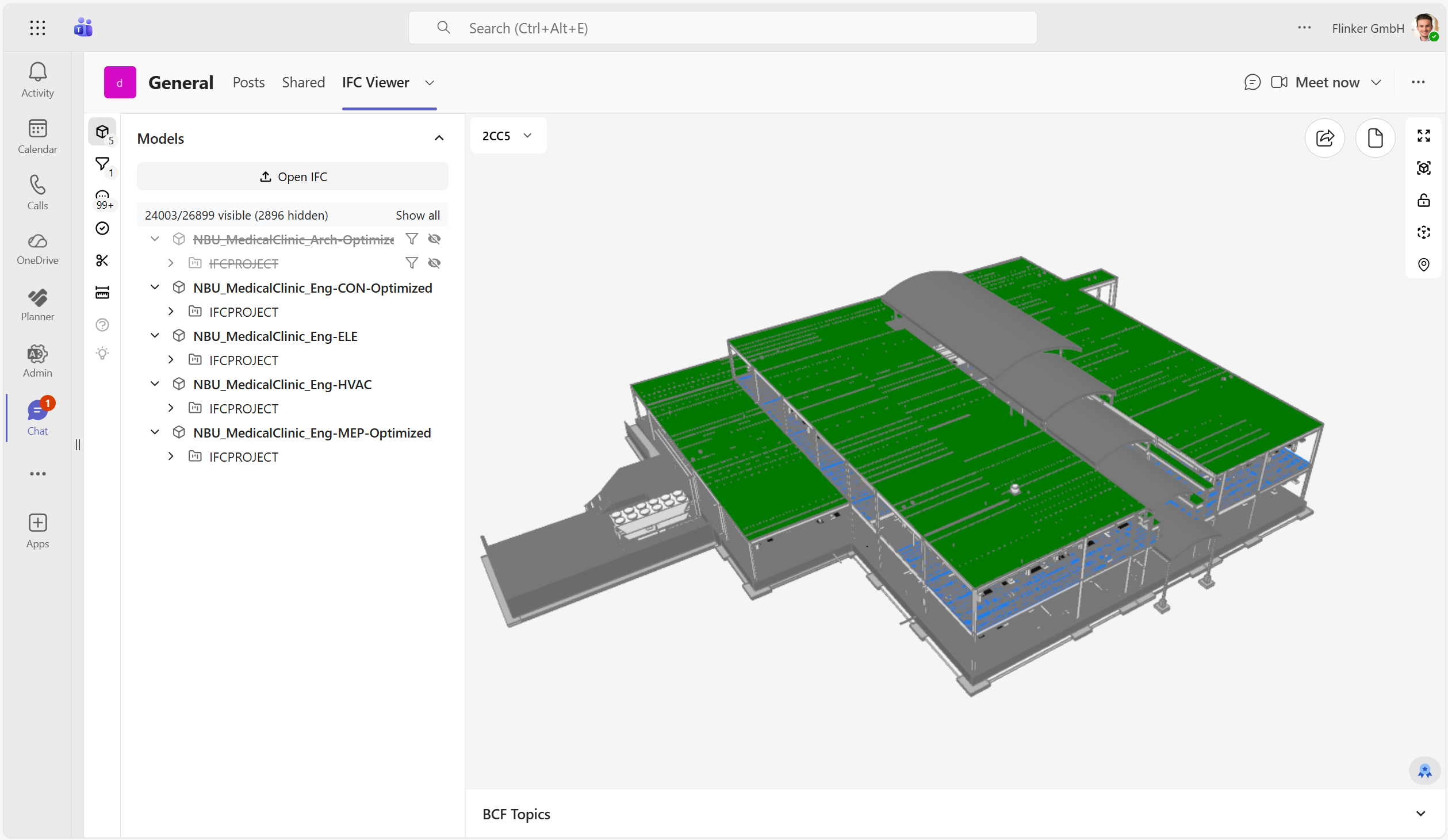
The IFC Viewer for Microsoft Teams brings IFC and BCF coordination directly into Microsoft Teams. Load models from SharePoint or Teams, review BCF topics in the same channel where your team already works, and keep all project data inside Microsoft 365.
Why choose the IFC Viewer for Microsoft Teams?
| Feature | IFC Viewer for Microsoft Teams | Standard IFC Viewer |
|---|---|---|
| No extra software/login | ✓ | ✗ |
| Privacy: User controls data storage | ✓ | ✗ |
| View IFC and BCF files in Teams | ✓ | ✗ |
| Load multiple IFC and BCF files in one tab | ✓ | ✗ |
| Open saved BCF viewpoints, filters, and clipping | ✓ | ✗ |
| Share a Teams deep link to a selected BCF topic | ✓ | ✗ |
| Set a default BCF topic view for a tab | ✓ | ✗ |
| All project stakeholders have easy access to BIM data | ✓ | ✗ |
| Integrate with Microsoft 365 (Lists, Excel, SharePoint) | ✓ | ✗ |
| Add custom workflows to your data | ✓ | ✗ |
| AI-ready data architecture | ✓ | ✗ |
Teams-specific coordination features
- Add a shared IFC Viewer tab to a team, channel, or chat.
- Load one model, multiple IFC files, or a whole folder of IFC and BCF files.
- Open BCF clash topics with their saved view context directly in Teams.
- Share the currently selected BCF topic as a Teams deep link.
- Configure a tab to always open on the same BCF issue by setting a default topic GUID.