Upgrade ISO 19650 to the latest version
Tip
Why Upgrade Your ISO 19650?
- Enhanced Features: Gain access to the latest functionalities that improve your workflow.
- Security Improvements: Protect your data with the newest security patches and updates.
- Performance Boosts: Experience faster and more reliable app performance.
Note
- Important Admin Permissions Required: Only SharePoint administrators can perform the app upgrade.
1. Upgrade ISO 19650 from the Site App Store
You can upgrade ISO 19650 in your site directly through the App Store.
Go to your site App Store:
Navigate to the App Store using the following URL, replacing
yourdomainandyoursitewith your specific domain and site:https://yourdomain.sharepoint.com/sites/yoursite/_layouts/15/appStore.aspx/appDetail/WA200007197Check for Updates:
If an update is available, you will see an Upgrade button or a notification indicating that an update is available.
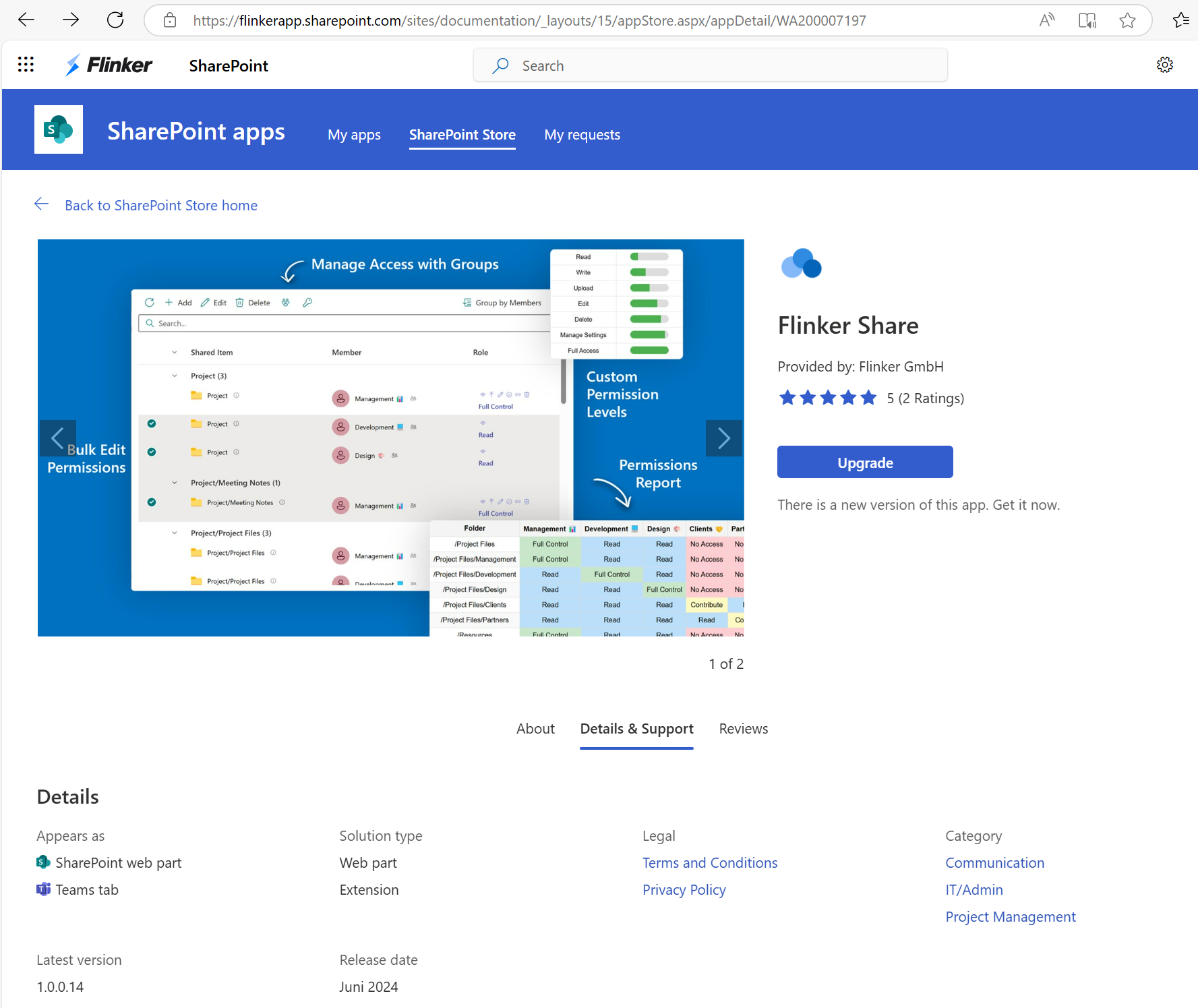
Upgrade the App:
Click the Upgrade button and ensure that the version information reflects the latest version.
2. Upgrade ISO 19650 from the App Catalog
Alternatively, administrators can upgrade ISO 19650 directly from the SharePoint App Catalog. This method is particularly useful for managing apps across multiple sites.
Access the App Catalog:
Navigate to your SharePoint App Catalog site. The URL typically follows this pattern:
https://yourdomain.sharepoint.com/sites/appcatalog/AppCatalog/Forms/AllItems.aspxReplace
yourdomainwith your specific domain.Select ISO 19650:
In the App Catalog, select the ISO 19650 you wish to upgrade.
Upgrade to the Latest Version:
- Click on Upgrade Store App.
- Confirm any prompts to replace the existing app.
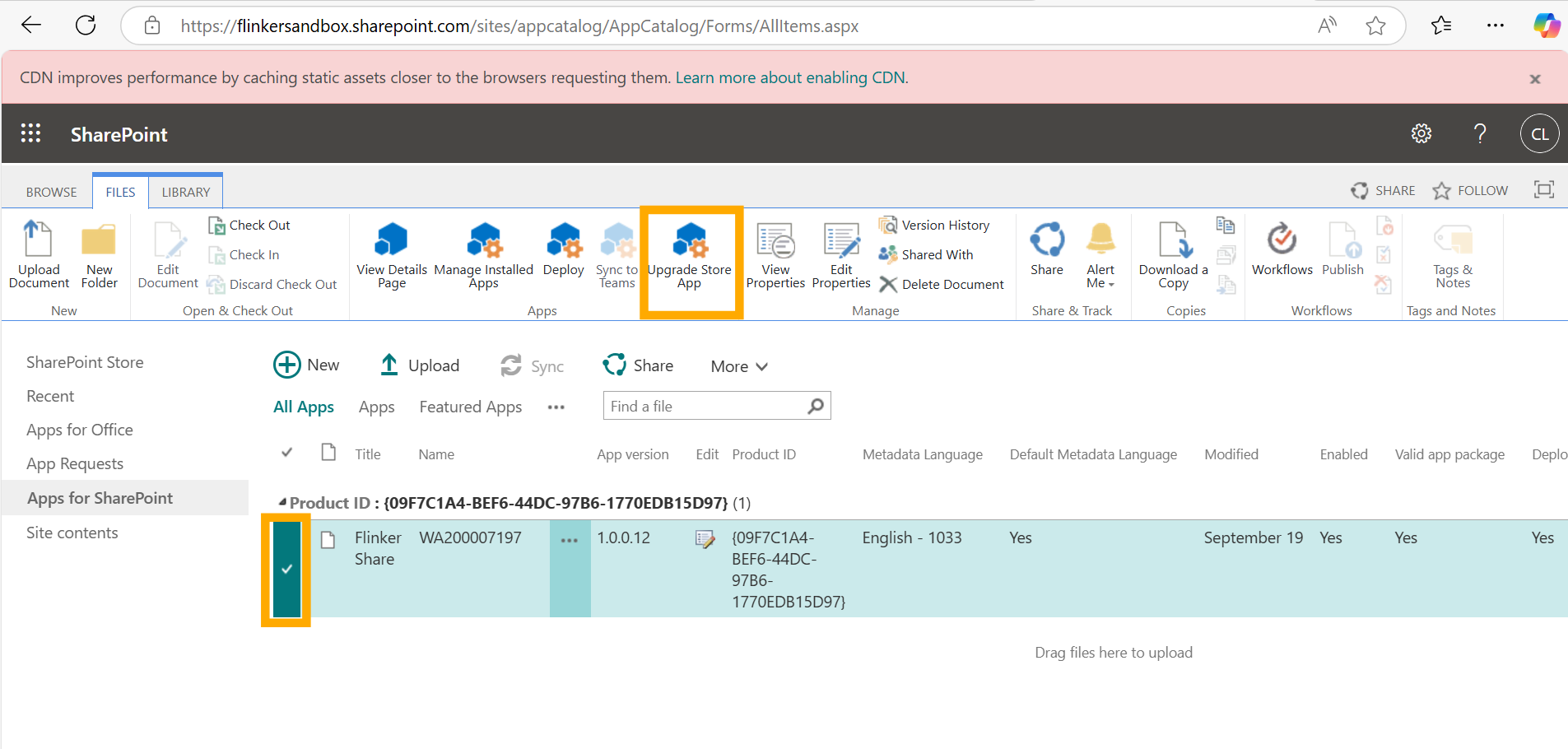
Confirm the Upgrade:
After uploading, ensure that the app's version number reflects the latest update. This confirms that the upgrade was successful.