Export manual measurements to Excel
Use the IFC Viewer measurement export to save manual length and area measurements to Excel from supported Microsoft 365 app surfaces.
Save to Excel is supported in the IFC Viewer Add-in for Excel and in the IFC Viewer for Microsoft Teams.
For the general measurement workflow, including creating and deleting measurements, see Measure and export manual measurements.
What is exported
The measurement export contains viewer-created manual measurements. It does not export authored IFC quantity entities.
The exported workbook includes a manual measurements table with columns for:
- measurement type
- measured length or measured area
- selected measurement unit
- base length or base area
- measured perimeter for area measurements
- point count
- start, end, center, and point XYZ values
- model IDs used to resolve measurement points
- XYZ reference
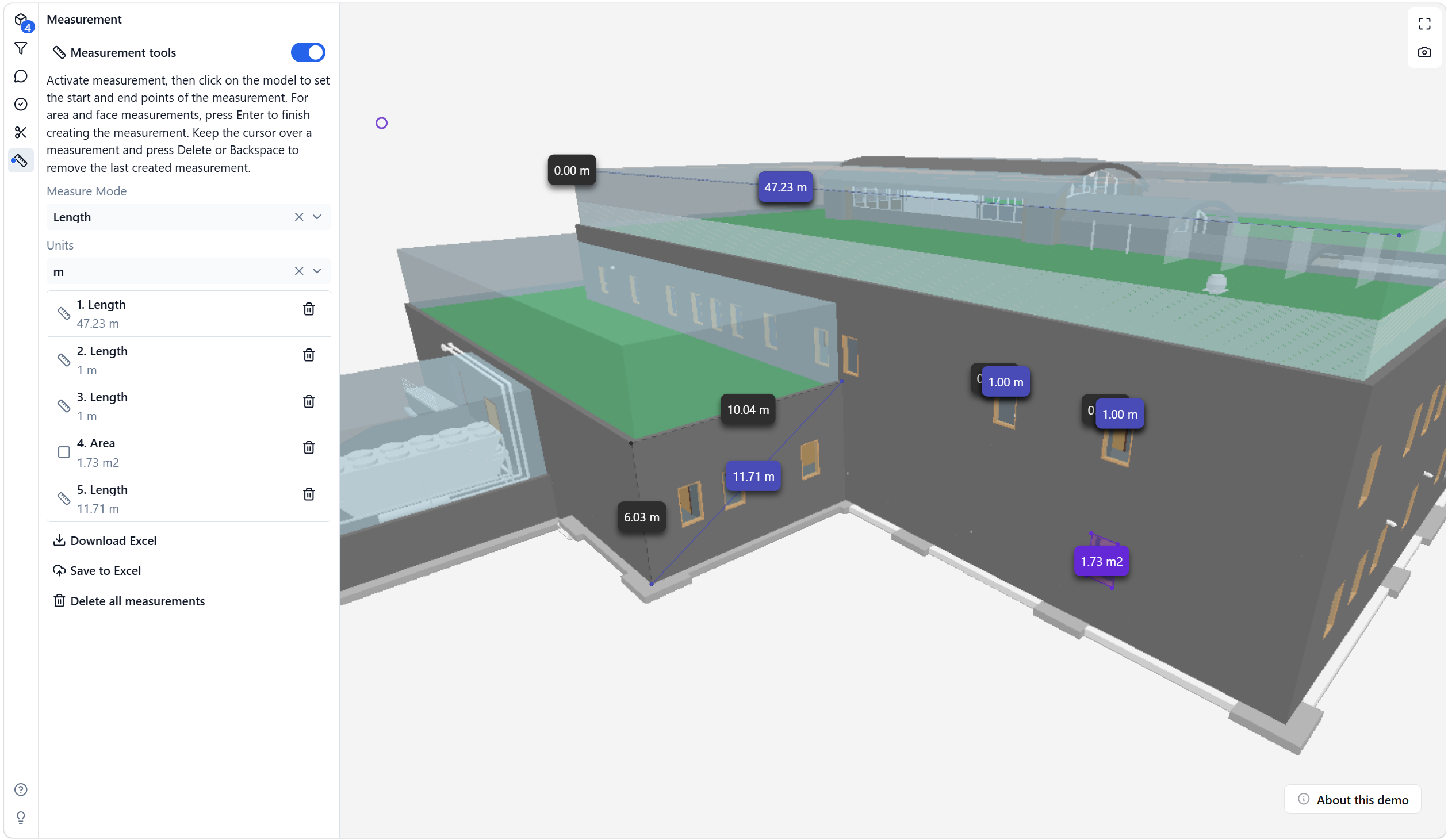
Save measurements to Excel in the Excel add-in
Use Save to Excel in the IFC Viewer Add-in for Excel when you want the manual measurement table inside the workbook where you are reviewing the model.
Use this workflow when you want to:
- continue with Excel formulas, PivotTables, charts, or formatting
- keep measured review values next to other model or project data
- document ad-hoc model checks without manually copying values
When you run Save to Excel, the add-in inserts the exported workbook content as worksheet tables in the current Excel workbook.
For model loading and selection sync in Excel, see Use the IFC Viewer in Excel.
Save measurements to Excel in Microsoft Teams
Use Save to Excel in the IFC Viewer for Microsoft Teams when you want to save manual measurement output in the project Microsoft 365 context.
Use this workflow when you want to:
- review measurements in a shared Teams model session
- save an
.xlsxoutput for the team - keep the exported measurement file with the project files in SharePoint
For setup and model loading in Teams, see Review IFC models in Microsoft Teams.
Download a local Excel file
Use Download Excel when you need a local .xlsx file instead of saving directly through a Microsoft 365 host.
Download Excel and Save to Excel use the same measurement table structure. The difference is where the workbook is saved.
Keep measurement exports clear
Manual measurements are useful for review, checking, and communication, but they should not be confused with model-authored quantities.
For property and quantity-set exports from selected IFC elements, see IFC data integration for Microsoft Excel and View and export IFC properties.